> For the complete documentation index, see [llms.txt](https://help.fluorescent.co/llms.txt). Markdown versions of documentation pages are available by appending `.md` to page URLs; this page is available as [Markdown](https://help.fluorescent.co/stiletto/theme-styles/colors-1.md).

# Colors (legacy)

{% columns %}
{% column %}
You can change the **Colors** of elements across your store, including general colors, header colors, footer colors, and product colors.

In the theme editor, click the **Theme settings** icon, then click to open the **Colors** tab.

{% hint style="info" %}
We recommend using WebAIM's [contrast checker](https://webaim.org/resources/contrastchecker/) when matching colors to make sure your text is clear and readable for everyone.
{% endhint %}
{% endcolumn %}

{% column %}

{% endcolumn %}
{% endcolumns %}

### General colors

***

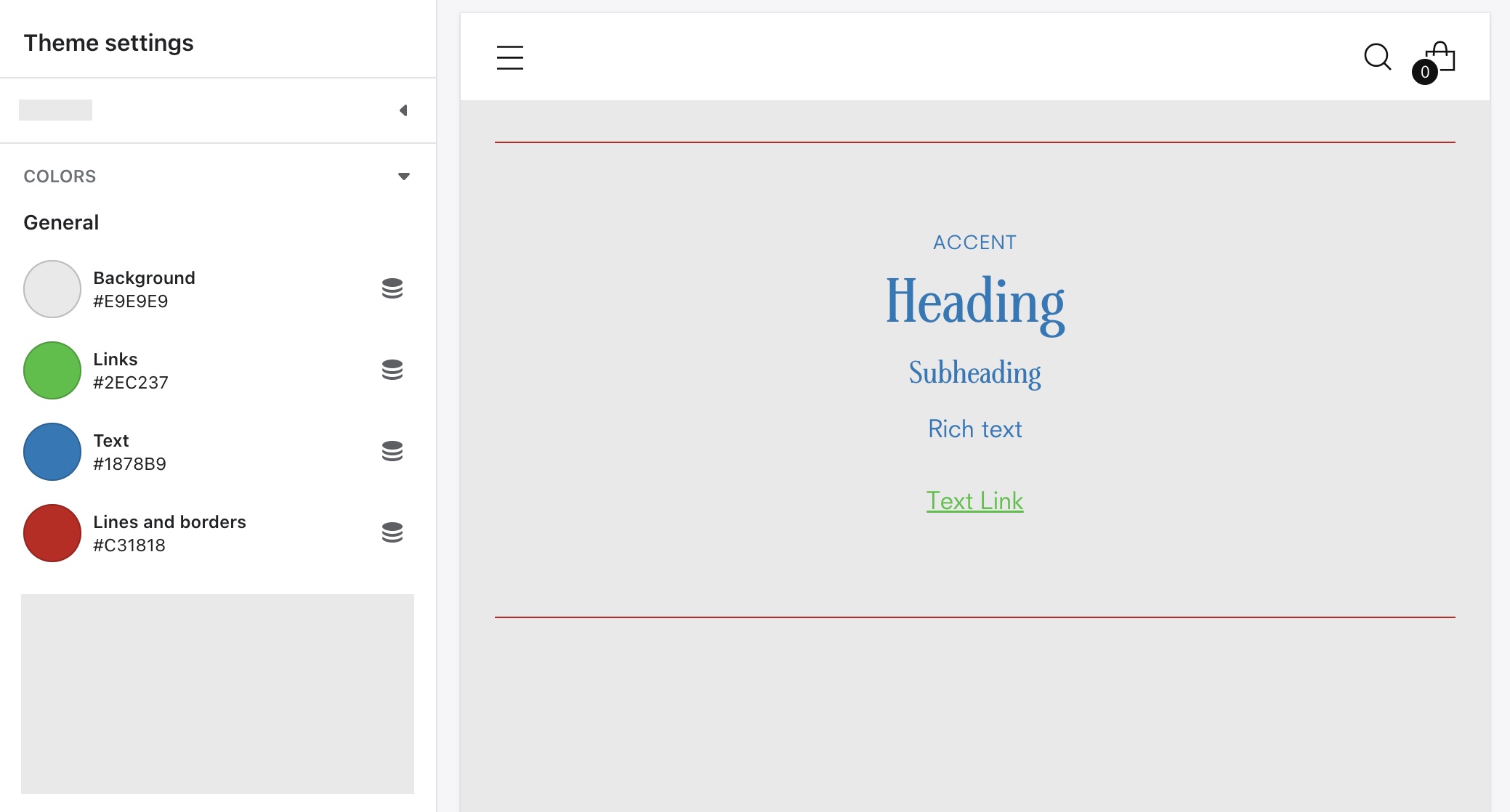
<img src="/files/3bvYRHQGKuH2fEaCYTTd" alt="" width="563">

<table><thead><tr><th width="218">Setting</th><th>Description</th></tr></thead><tbody><tr><td><mark style="color:blue;">Background</mark></td><td>The background on all pages including the home page. Appears in sections that have no background color set.</td></tr><tr><td><mark style="color:blue;">Links</mark></td><td>All links added to rich text blocks.</td></tr><tr><td><mark style="color:blue;">Text</mark></td><td>All headings, subheadings, and body text. The Header and Logo text are set separately.</td></tr><tr><td><mark style="color:blue;">Lines and borders</mark></td><td>All lines and borders that appear between or within sections.</td></tr></tbody></table>

### Header colors

***

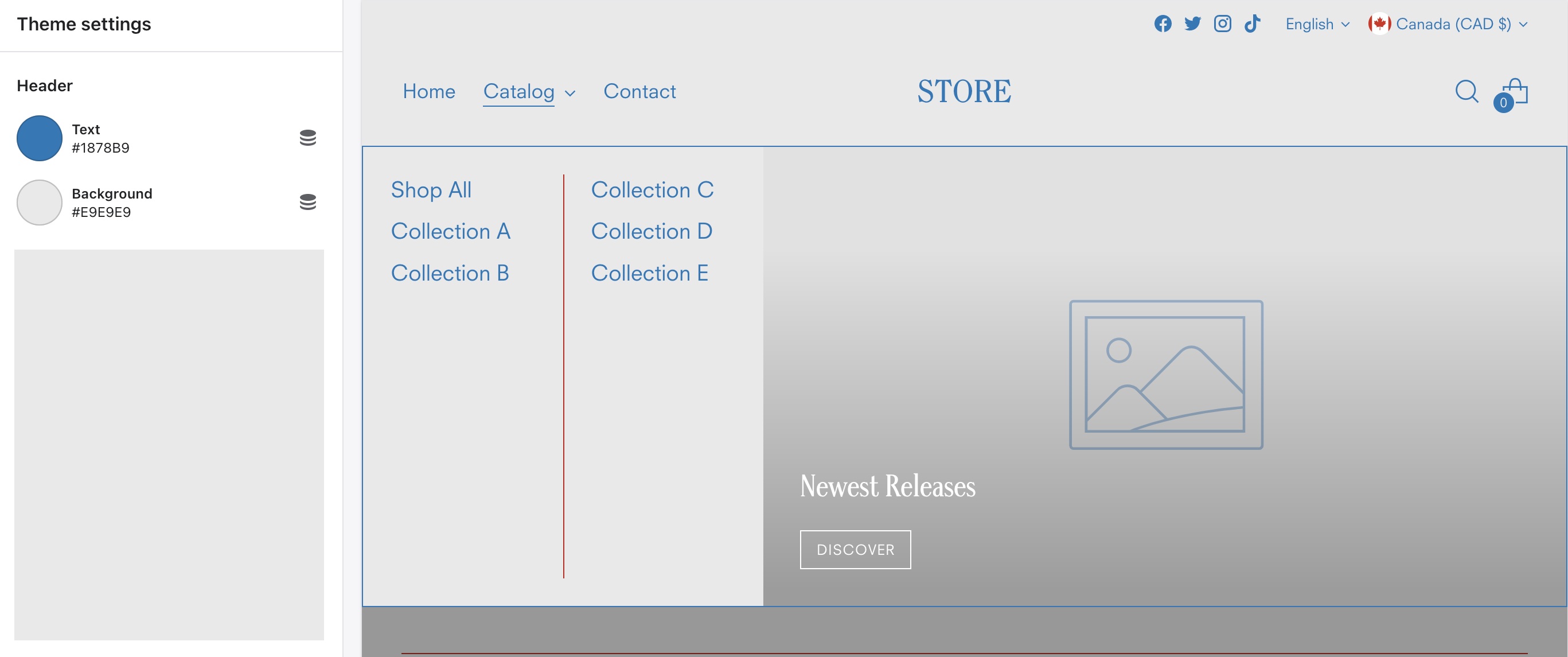
<img src="/files/UYLJAhTUcJKq3s3qNxjq" alt="" width="563">

<table><thead><tr><th width="210">Setting</th><th>Description</th></tr></thead><tbody><tr><td><mark style="color:blue;">Text</mark></td><td>The color of all menu links, icons, borders, and additional text in the Header.</td></tr><tr><td><mark style="color:blue;">Background</mark></td><td>The background of the Header bar.</td></tr></tbody></table>

### Footer colors

***

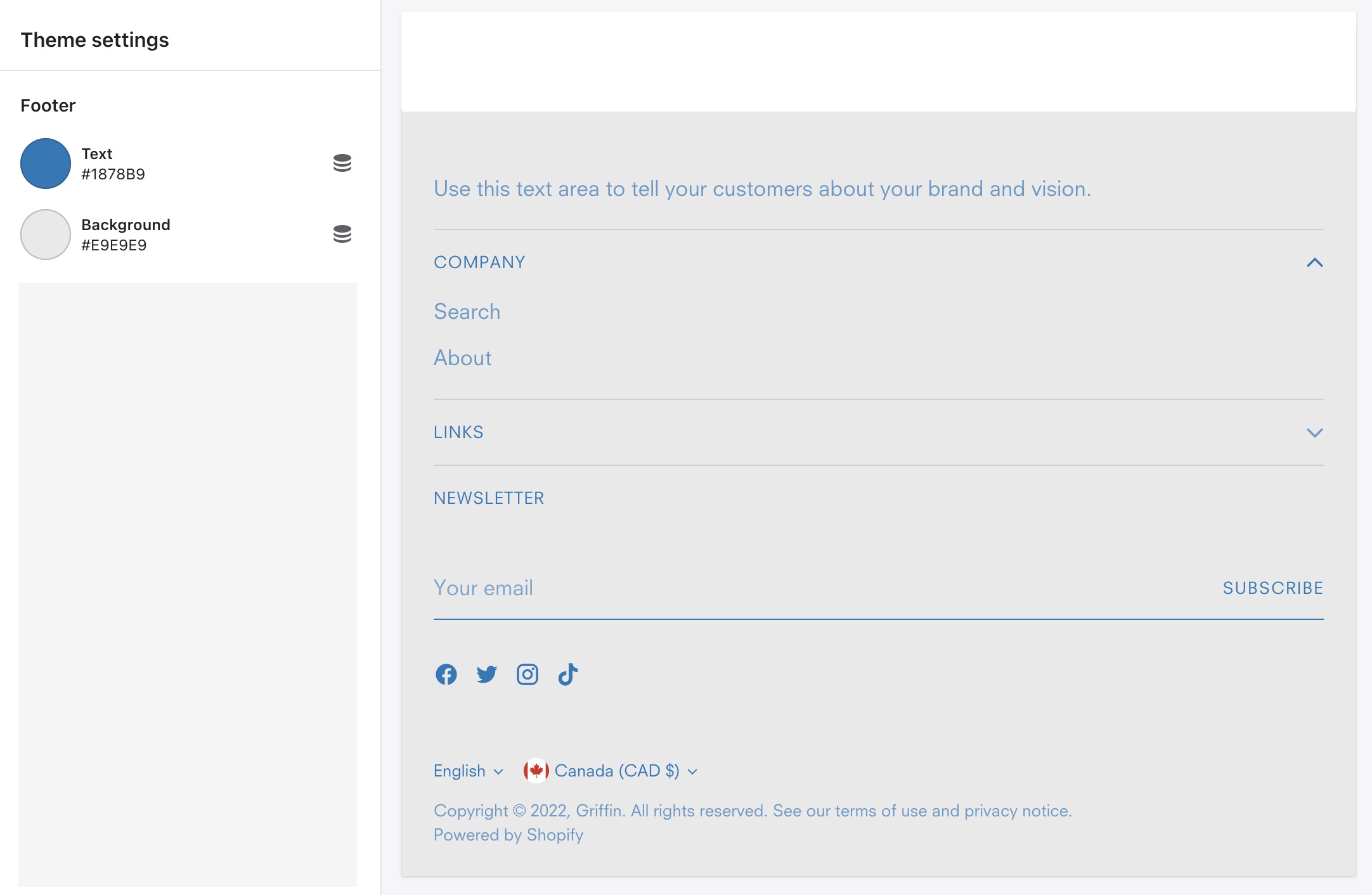
<img src="/files/1cfyZ1pcGQ1rztJwzcKf" alt="" width="563">

<table><thead><tr><th width="210">Setting</th><th>Description</th></tr></thead><tbody><tr><td><mark style="color:blue;">Text</mark></td><td>All menu links and text in the Footer.</td></tr><tr><td><mark style="color:blue;">Background</mark></td><td>The background of the Footer.</td></tr></tbody></table>

### Button colors

***

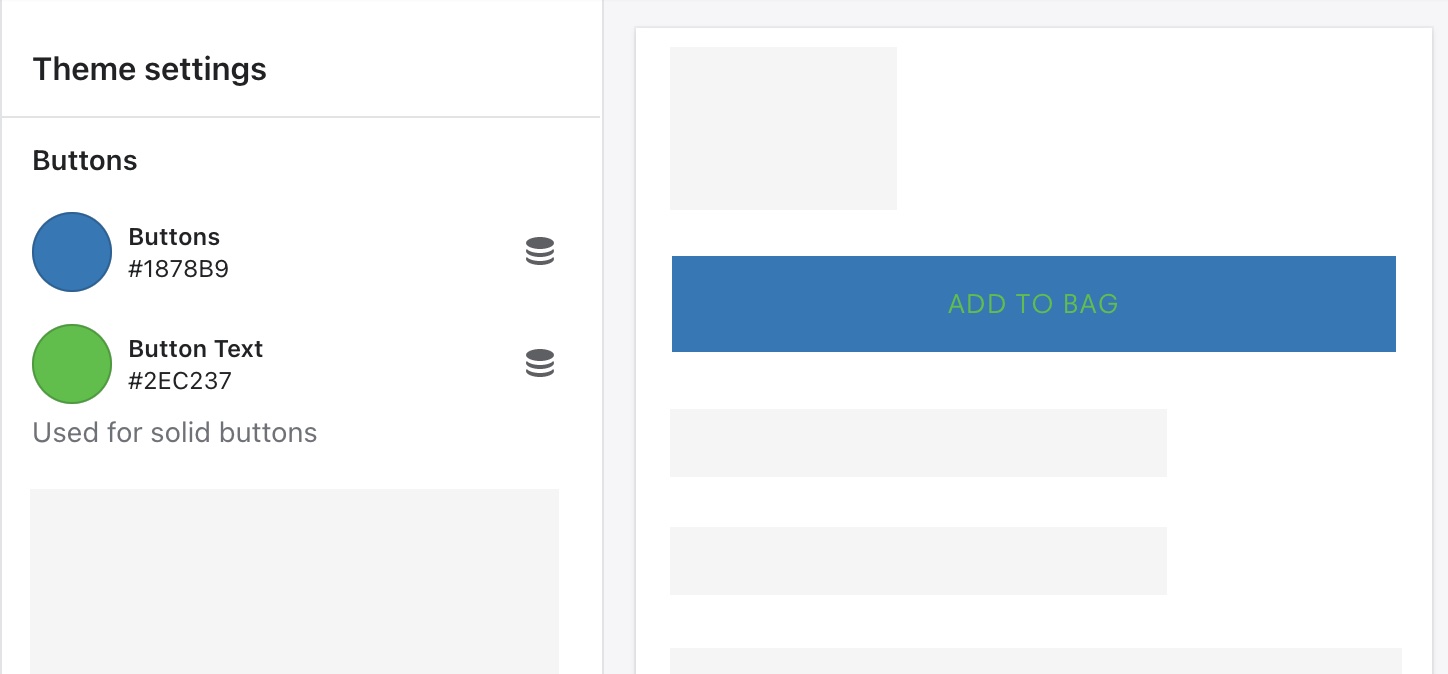
<img src="/files/OmYXiUI52q2ScZUaL4jd" alt="" width="563">

<table><thead><tr><th width="204">Setting</th><th>Description</th></tr></thead><tbody><tr><td><mark style="color:blue;">Buttons</mark></td><td>All button backgrounds for Solid button styles. Button style options are included in button block settings per section.</td></tr><tr><td><mark style="color:blue;">Button text</mark></td><td>All button text for Solid button styles. Button style options are included in button block settings per section.</td></tr></tbody></table>

### Product colors

***

<table><thead><tr><th width="210">Setting</th><th>Description</th></tr></thead><tbody><tr><td><mark style="color:blue;">Sale price</mark></td><td>Sale prices listed beneath products with "compare at price."</td></tr><tr><td><mark style="color:blue;">Rating star</mark></td><td>Rating stars in the <a href="/pages/Gv4517Rg6OOcDjzJI4ML">Product reviews</a> app block.</td></tr><tr><td><mark style="color:blue;">In stock</mark></td><td>The "In stock" label for the Stock level indicator.</td></tr><tr><td><mark style="color:blue;">Low in stock</mark></td><td>The "Low stock" label for the Stock level indicator.</td></tr><tr><td><mark style="color:blue;">Out of stock</mark></td><td>The "Out of stock" label for the Stock level indicator.</td></tr></tbody></table>